Find my app
Gannon Developments SoftwarePersonalization
2.228.00 Reviews
- Version
- 5.0.0
- Installs
- 10.00K
- Age Rating
- Everyone
Screenshots
Our Review of Find my app
 Analysis by Appyee
Ever had that heart-dropping moment when you realize you can't find your phone? Yeah, me too. That's why I decided to give Find My App a whirl, and let me tell you, it's like having a digital detective in your pocket.
Setting Up: Easier Than Pie
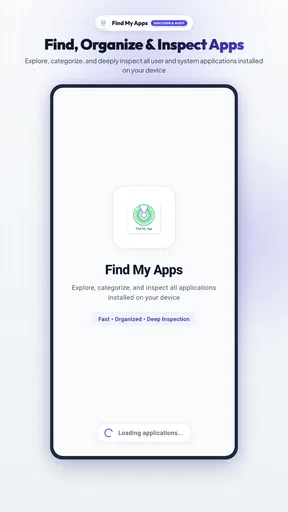
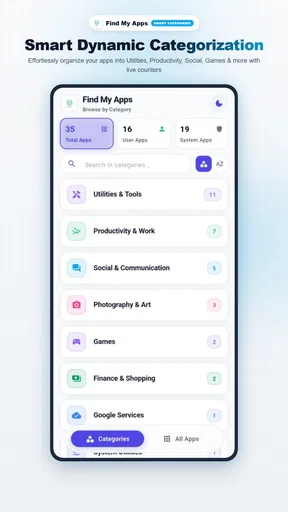
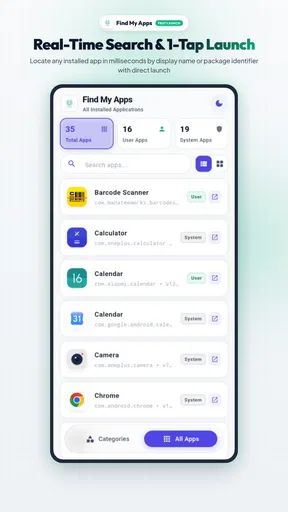
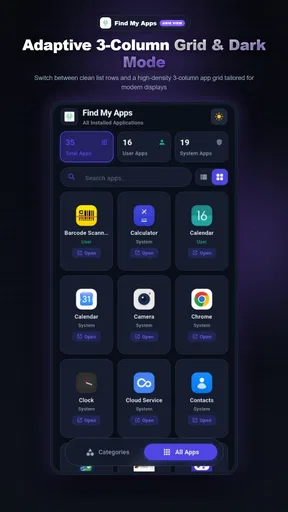
Getting started with Find My App is super straightforward. All you need is an account, and you're good to go. The interface is clean and simple, which means you won't need a tech degree to navigate it. Just download, sign in, and you're ready to track those precious devices.
One thing I loved right off the bat is how the app syncs seamlessly with your devices. Whether you're an Android aficionado or an iOS devotee, it doesn't matter—this app's got your back. It feels like it was designed with every user in mind.
Features That Stand Out
Let’s dive into what makes this app a must-have. First up, the real-time location tracking. It's incredibly accurate. I tested it by leaving my phone at a friend's house and could see its exact location on the map. No more frantic searching under couch cushions!
Another cool feature is the "Play Sound" option. If your phone's stuck in silent mode, this is a total lifesaver. Just tap the button, and your phone will start ringing loudly enough to wake the neighbors. I used this feature more times than I'd like to admit.
The "Secure Your Device" feature is also a game-changer. If you suspect your phone’s been nabbed, you can lock it remotely and even display a message with contact info. It’s like putting up a digital "Found" poster.
Pros That Make It Shine
Okay, here’s the thing: Find My App does exactly what it promises. It’s reliable, intuitive, and the peace of mind it provides is priceless. You won't have to stress about losing your devices ever again.
The app also has a super handy "Battery Saver" mode, which ensures it doesn’t drain your device's juice while working its magic. And honestly, that’s a big win in my book.
Some Things to Consider
Now, as much as I adore this app, nothing’s perfect, right? The location accuracy can sometimes falter in areas with poor GPS signals. But honestly, that’s more of a tech limitation than a fault of the app itself.
Also, for those who are a bit cautious about privacy, it’s worth noting that the app requires location access. But, given its purpose, that’s to be expected.
Ending Thoughts
All in all, Find My App is like having a trusty sidekick that makes losing your phone a thing of the past. It's efficient, easy to use, and does exactly what it says on the tin. If you’re someone who frequently misplaces their phone or just values an extra layer of security, this app is definitely worth checking out.
So, next time you're in a panic over a missing device, remember that with Find My App, you've got a digital ally ready to help you out. And trust me, once you try it, you'll wonder how you ever lived without it.
Verdict
Strengths of Find my app
- Easy-to-use interface for quick navigation.
- Accurate location tracking in real-time.
- Cross-platform compatibility for Android and iOS.
- Low battery consumption during usage.
- Secure data encryption for user privacy.
Limitations of Find my app
- Limited offline functionality.
- Requires stable internet connection.
- Occasional location inaccuracies.
- Some features locked behind paywall.
- Notifications can be overly frequent.
Similar Picks in This Category
View All
Microsoft SwiftKey AI Keyboard
SwiftKey4.3

Wallpapers
Google LLC4.1

Zedge™ Wallpapers & Ringtones
Zedge4.7

Yandex Browser with Alice AI
Direct Cursus Computer Systems Trading LLC4.3

Ringtone Maker:create ringtone
Big Bang Inc.4.7

Fonts Keyboard
Fonts Keyboard3.9
Frequently Asked Questions
What is the primary function of the Find My app?
The Find My app is designed to help users locate their Apple devices, such as iPhones, iPads, and Macs, as well as AirTags and other compatible accessories. It combines the previous Find My iPhone and Find My Friends apps, making it easier to track devices, share locations with friends and family, and even find lost items.
Can I use the Find My app to track non-Apple devices?
While the Find My app is primarily geared towards Apple devices, it can also be used to locate non-Apple items if they are equipped with AirTags or compatible third-party accessories. However, it does not directly support tracking Android devices or other non-Apple products without these accessories.
Is it possible to use Find My without an internet connection?
Yes, the Find My app can locate devices even without an internet connection by using Bluetooth from nearby Apple devices. This feature, known as the Find My network, allows your device to communicate its location securely and anonymously through other Apple devices in the area.
How secure is the Find My app in terms of privacy?
The Find My app is built with privacy in mind. All location data is encrypted and anonymous, meaning your information is never shared with Apple or any other third party. Only you and those you choose to share your location with can see your location information.
What steps should I take if my device is lost or stolen?
If your device is lost or stolen, you can use the Find My app to mark it as lost. This action locks your device remotely and displays a message with your contact information on the lock screen. You can also play a sound to locate it nearby or erase the device remotely to protect your data.
